To understand the options on revenue recognition for your journals, see IFRS / GAAP reporting versus revenue recognition.
For MRR (monthly recurring revenue) and revenue recognition reports, ScaleXP always recognizes revenue by its service dates. See How ScaleXP allocates the spread of revenue and cost.
Revenue journals use the IFRS / GAAP (backdated revenue pulled forward) method. Revenue for a service period before the invoice issue date is recognized at the issue date, so backdated invoices don’t change months you have already closed.
To check your setting, open a revenue journal, click the three dots at the top right, select Revenue Journal Settings and look at Journal Calculation. It should show IFRS / GAAP (backdated revenue pulled forward).
If it shows Revenue Recognition (by service dates), contact [email protected] to change it.
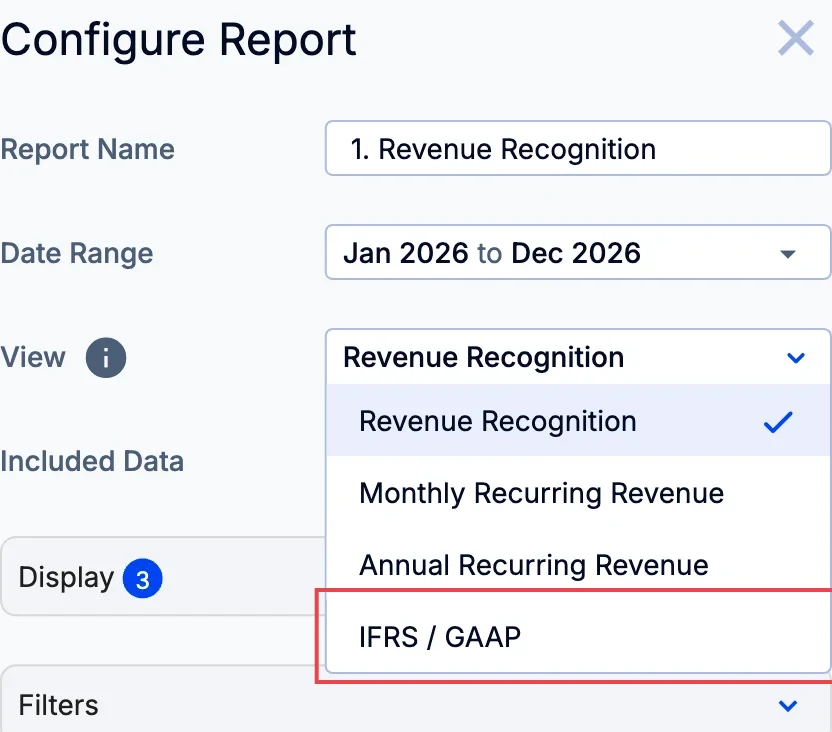
To view revenue recognized under IFRS / GAAP, go to the Customers tab, click Configure Report and set View to IFRS / GAAP, or create a new report with this view.
Read more about the different views in Revenue setup 1: Configure and validate revenue recognition.